

If you’re not in the market to buy a camera or read about cameras you can skip this post. If you want some more general photography thoughts, there’s On the Usefulness of Photography
Fixed-lens cameras are simple objects for producing art. As the name suggests you cannot change the lens and, for the three title camera lines, you cannot zoom. There’s less fretting about what lenses to buy or to take with you, and constraints can introduce their own creativity. I often recommend fixed-lens cameras for photography beginners but I also recommend them for photographers who feel burnt out, or feel they aren’t shooting enough.
I have, however, acquired three fixed-lens cameras — currently the Fujifilm X100VI, Ricoh GR IV, and Leica Q3 43. I’ve also owned some of their predecessors. This is a somewhat extravagant way of collecting lenses after all! But each camera body and make has its own personality, so the move between bodies resembles more of a move between moods, rather than just a change of focal length. I now think I can give some notes on all three camera lines that may be of help if you’re trying to choose between them.
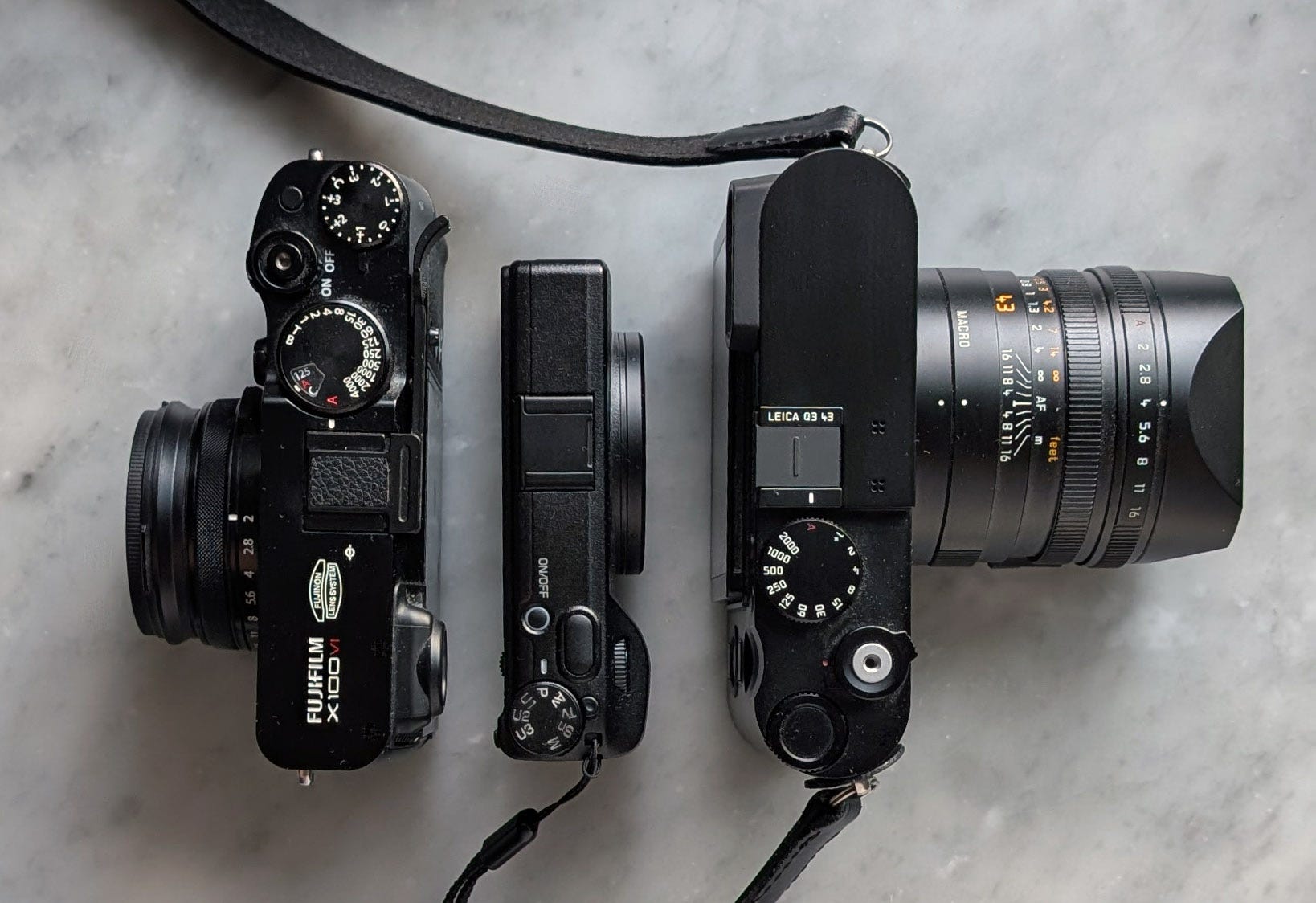
It’s easy to find photos of the cameras themselves, so I won’t share many, but here’s one to show their sizes together:
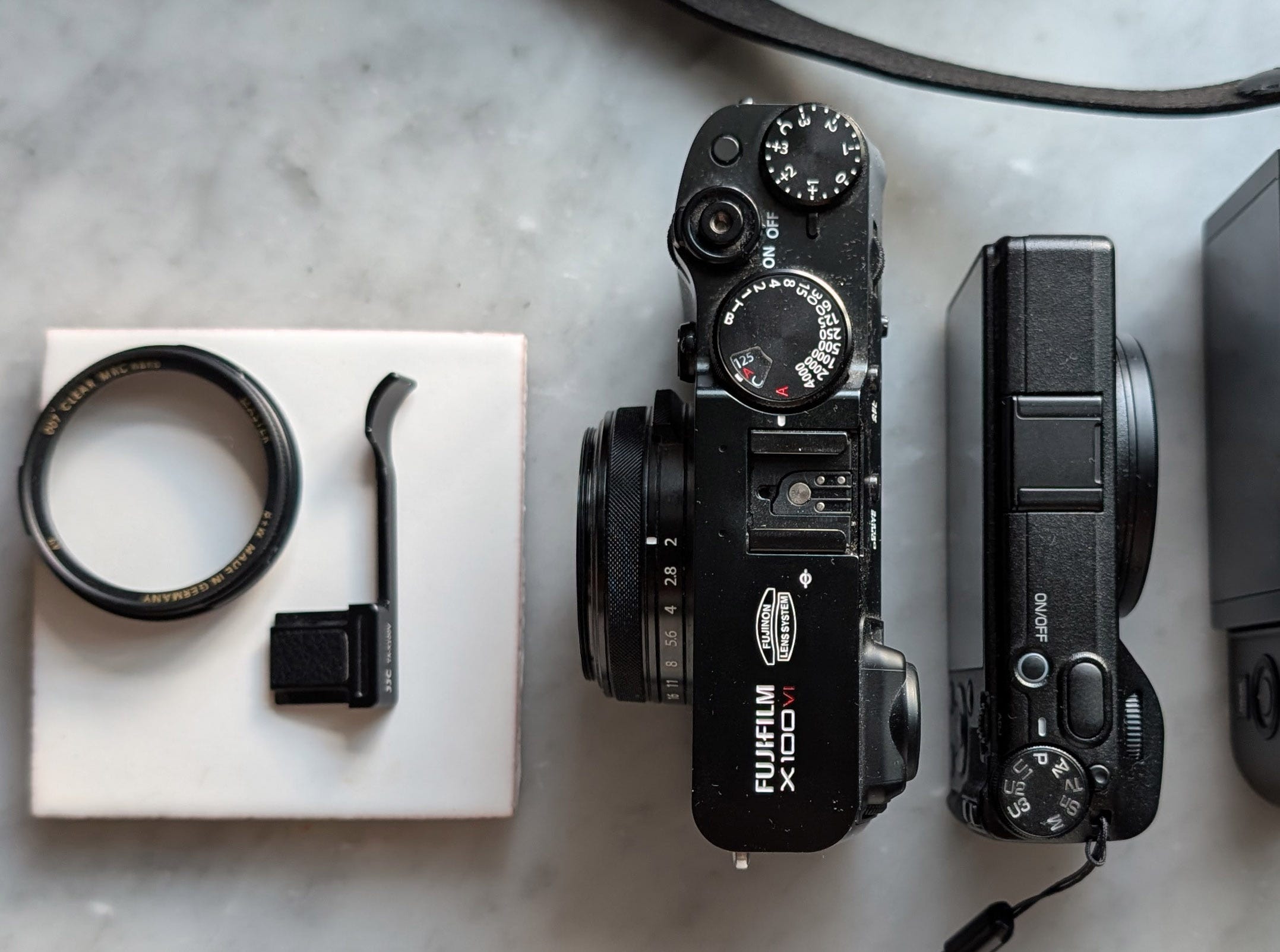
And one just to show the Fuji without its filter adapter:
These are all “Compact” in some sense. But the Leica has a substantial lens (and the lens hood makes it longer). The Fujifilm is much smaller, “pocketable” if you have a purse or a jacket. And the Ricoh’s entire size is smaller than just the body of the Fuji, smaller than many phones (but still 2.5x thicker), the only truly pocketable of the three.
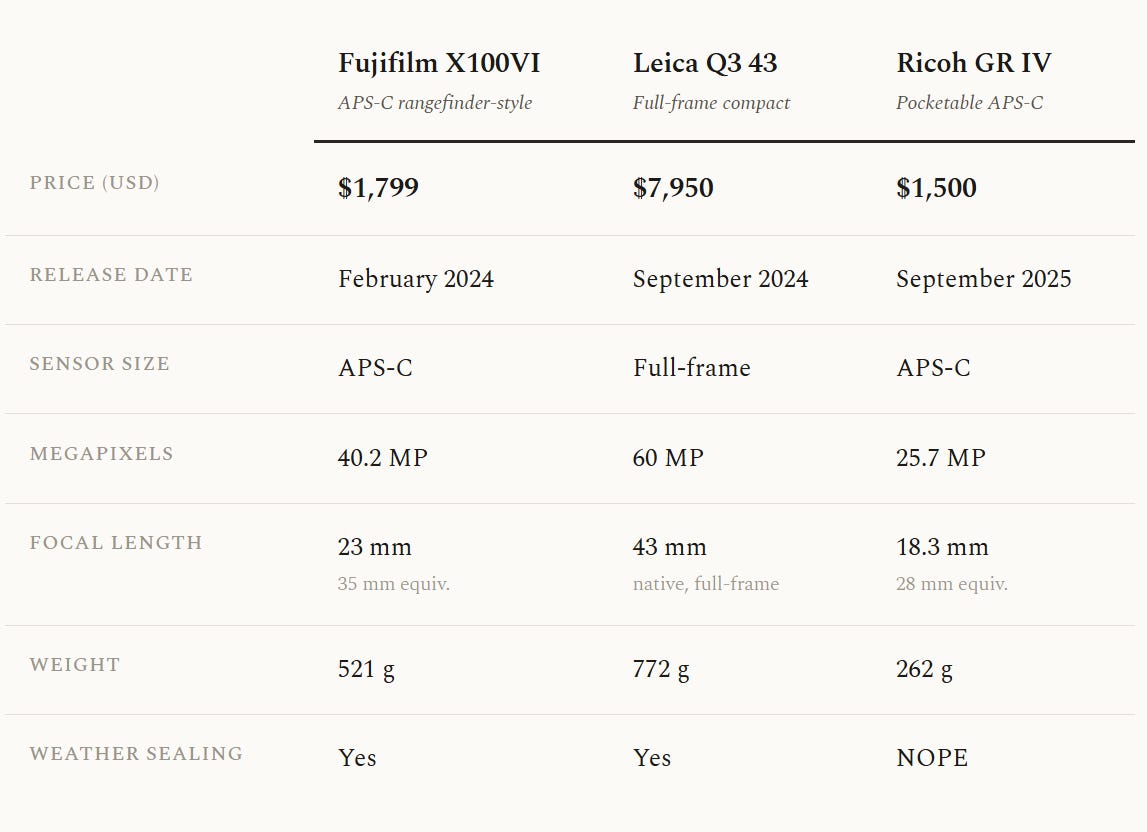
Some important figures at a glance:
If you are only interested in one camera you might want to skip around, or even skip to the Conclusion at the end.
RAW and JPEG
I am assume the reader is familiar with photography basics. I also talk about JPEG and RAW. To simplify: When cameras shoot they create RAW files as a kind of digital negative. The camera uses its internal software to turn it into a usable picture, the JPEG, that the user sees. Just how a camera does that is up to each camera’s developers and designers. Chiefly they are making decisions about highlights, shadows, colors (opinionated), and white balance (the attempt to render white as truly white and all other colors based on that). Most cameras let you adjust these in-camera as well. Shooting in RAW, you can edit all of these after-the-fact. Shooting in JPEG, you may get colors you don’t end up liking, or a loss of highlights or shadows that cannot be recovered (that could have been if they were a RAW file). Of course you can do some editing with JPEGs later, just not as much, because there is less digital information.
I use different file formats for different cameras. But in general, RAW files are larger and require extra steps, so it requires more dedication to get and use the output, and I think this friction is unnecessary for many people. I recommend against shooting in RAW for newcomers or anyone that wants to take more photos. Almost everyone needs to be shooting more rather than editing more.
Fujifilm X100 series
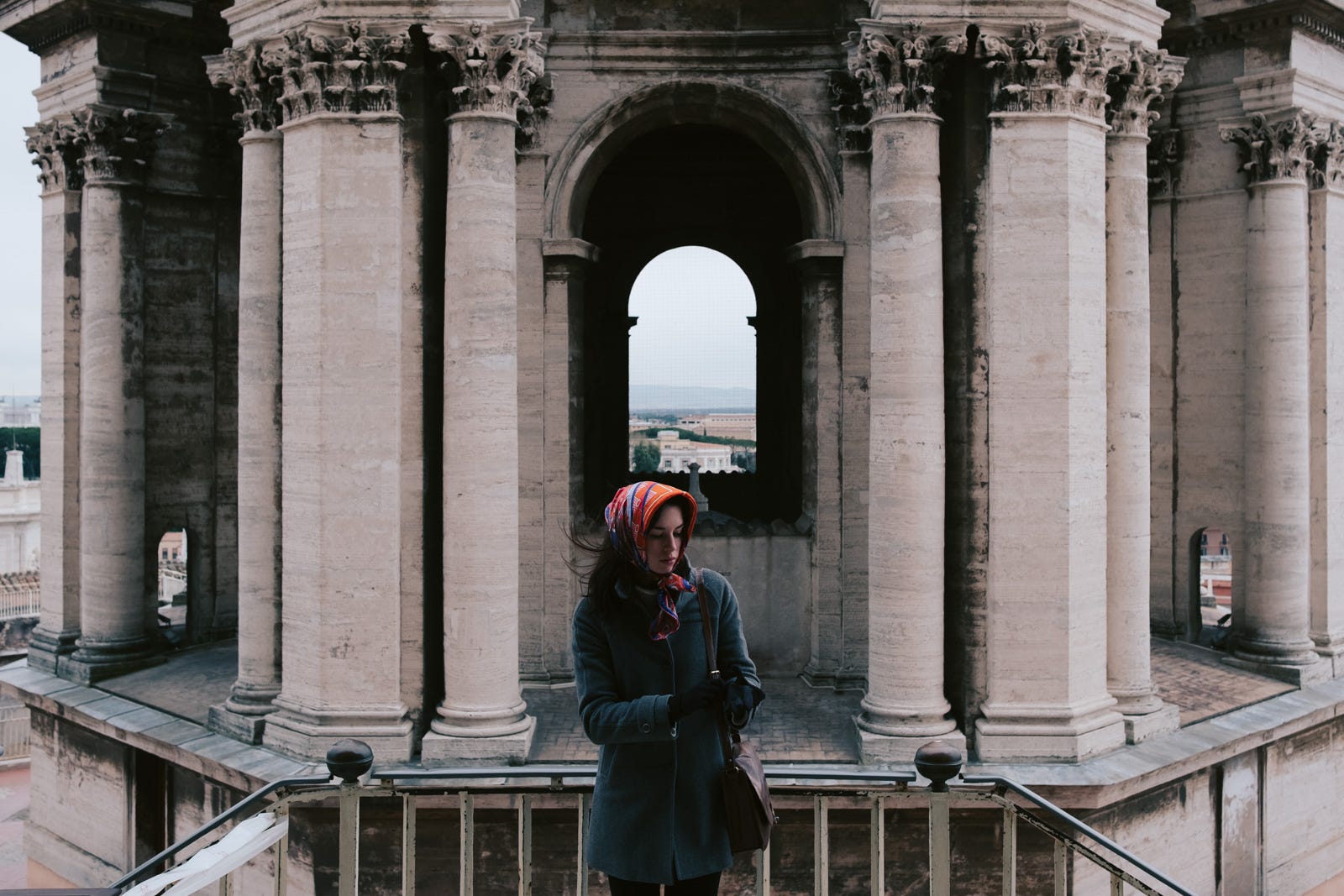
The Fujifilm X100 series has obtained such a reputation that the latest version (6th generation, X100VI) has been almost consistently out of stock since its release over a year ago. This reputation is well deserved, because they have made an exceptionally delightful camera.
Fujifilm has the best JPEG engine of any camera manufacturer. The colors straight-out-of-camera and the in-camera customization of colors (Fuji’s “Film Simulations”) are fun to use and opinionated enough to be genuinely interesting. I almost universally recommend Fuji cameras for newcomers, either the X100VI or the interchangeable lens X-E5.1
Get a filter adapter (and filter)
You cannot put a lens filter on the X100VI without also adding an adapter (like this). These increase the size of the camera (see the pictures above again) but are essential for protecting the lens. Remember, since you cannot remove the lens, a scratch means you’ll have to send the whole thing to get serviced. I recommend keeping a filter on every lens you have and this is no exception.
If you put a filter on the Fuji, you can easily put it into any large pocket, purse, or bag without having to worry about using (or losing) a lens cap. This makes it more ready to take out and shoot, with less fuss. Filters can easily be replaced if they ever get a scratch.
X100 Shooting
The X100 has a 23mm on a APS-C sensor2, so 35mm equivalent. This focal length is wide enough that you can easily use it indoors, and even inside a car. It’s also tight enough that it can make acceptable portraits, especially if the subject is farther away.
The eyecup viewfinder and the screen are both detailed and fast. There’s even an optical viewfinder for a full film-feel, though I use the electronic viewfinder almost exclusively.
If you ever thought “I wish I had a real camera while traveling” you should strongly consider the Fuji. Walking around a city, it’s perfect at its job. It’s comfortable on a shoulder strap or with a small hand strap and an optional thumb grip. Travel photos:


You can use the X100VI as a hiking camera, but you’ll be more limited than if you had a zoom lens. Still, it works well and the weatherproofing lets me bring it along even in adverse weather and the winter.
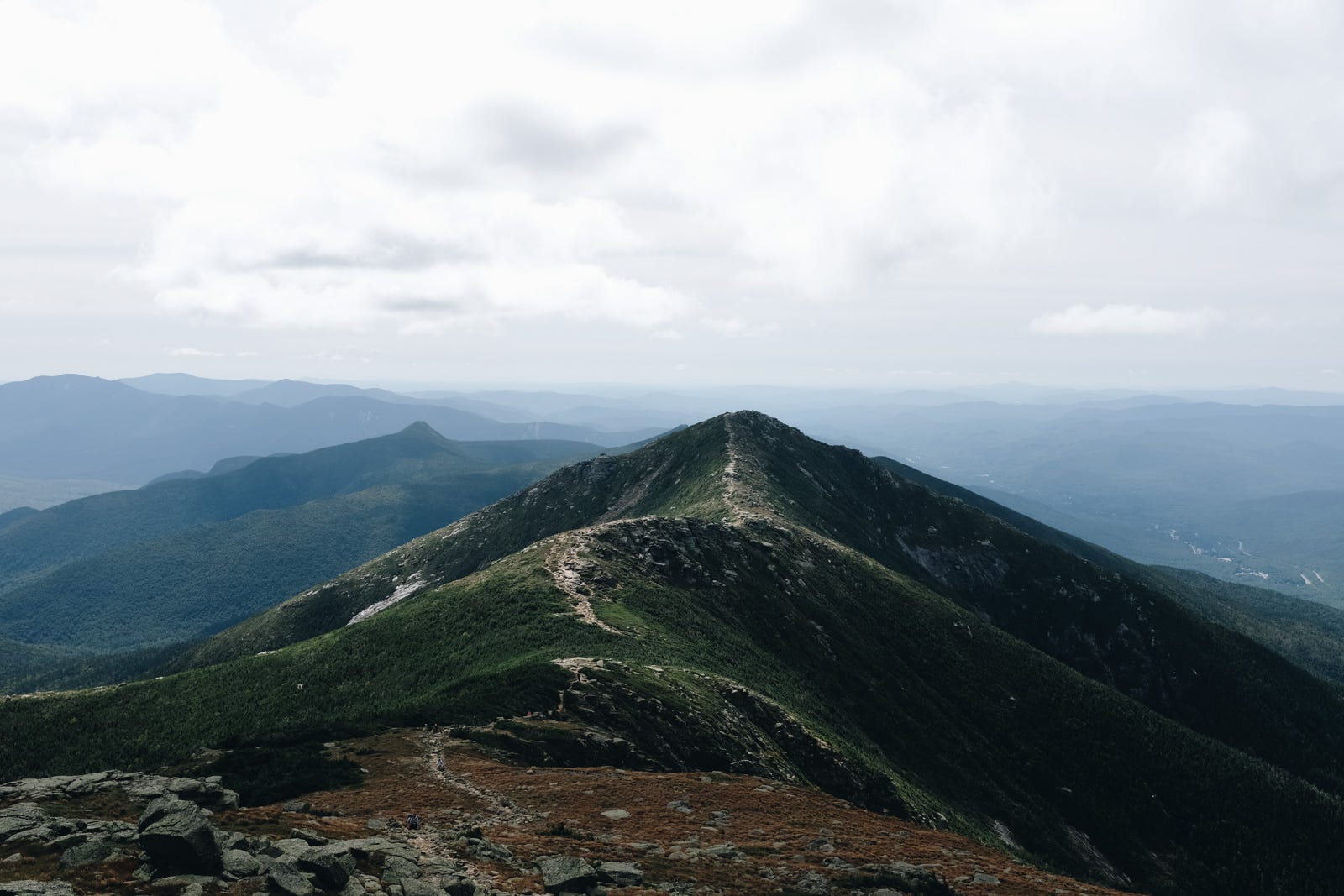
The 35mm focal length is very sympathetic to the viewer. It’s close enough to gives one the feeling of being there. If you don’t mind having the camera out on a shelf, easily accessible throughout the day, or always in your bag (if you routinely carry a bag), it makes a fantastic camera for documentary-style photography.


Earlier versions of the X100 series were very soft around the edges, almost gummy, if you opened the aperture past f/4. They were also not weather sealed. These issues were solved with the X100V and X100VI.
The X100VI has a 40 MP crop sensor (as in, not full-frame). Professionals gripe about smaller sensors, but I’ve seen billboard-size images shot with Fuji crop sensors that looked nice. However, a crop sensor plus a fixed lens means that if you do need to take a photo from farther away and crop, there’s only so much cropping you can do.
The X100VI noise at high ISO is quite usable, though not nearly as good as the Leica Q line. Fuji ISO, along with autofocus, have gotten much better over the last 10 years.
X100 Settings
The Fuji is the only camera line of these three that has ideal retro controls: dedicated dials for aperture, shutter speed, and ISO. It also has the most intuitive menu system of the three, and camera start-up is very snappy.
Autofocus on the newer X100 line (X100F, X100V, and X100VI) is GOOD, don’t believe naysayers. I recommend setting the autofocus to single point, and fairly small, so that your autofocus is only looking at a small rectangle on the screen. Move it around with the tiny joystick, and press into the joystick to reset it to the center of the screen (I wish Leica’s did this3). In the dark or when zone focusing, you can use the manual focus which relies on the on-screen distance scale. This doesn’t look nearly as nice as a distance scale on the lens, but functionally it’s good to read distance on the screen and see the image at the same time.
To reduce skin “waxing”4 in jpegs, I turn down the High ISO Noise Reduction. Lately I’ve also been experimenting with setting Sharpness to -4 (all the way down). This gives a certain analog softness to the JPEGs. The in-camera dynamic range control is also very good and you should spend some time experimenting with the dynamic range options. DR400 will try to capture everything, like a phone camera. DR100 will let your photos have shadows.
For film simulations, I encourage you to spend a lot of time trying them out. If you want to try 3 at once you can do “film simulation bracketing”5 and it will shoot one photo and produce 3 jpegs with the simulations of your choice. You can look up a lot of “film simulation recipes” online, which are just in-camera settings that different photographers suggest. Fujifilm has a custom setting menu with C1 through C9 to save different sets of settings, so you can have lots of saved presets and switch between them.
I use Classic Chrome when I’m in cities or by the ocean, and Astia most of the time elsewhere. I also use ACROS+ Ye filter for black and white, which gives a fairly hard tone. If you shoot in RAW instead of JPEG, you can still use film simulations to get a preview of what your editing might look like, or RAW+JPEG shooting to save both.
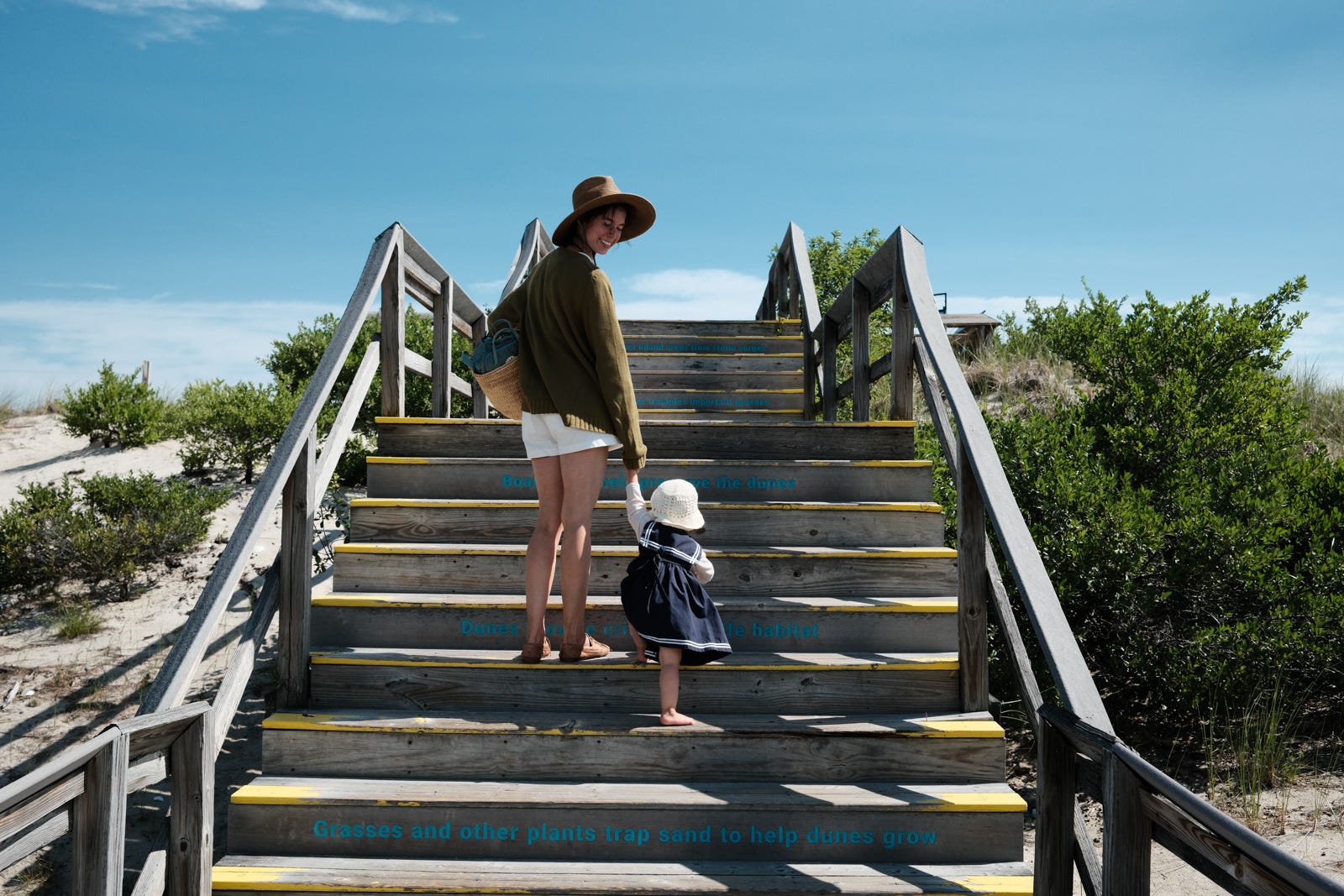
The color options make shooting experimental and fun. Eventually, you might want to edit your own colors in software later, but Fuji lets you get more interesting images, faster, without the additional steps. Unlike editing in post-processing software, editing by fooling around with camera settings encourages more shooting, because you have to shoot to see if it works well.
Fuji RAW vs JPEG
When I use the X100VI in daylight or just daily, I shoot JPEG. When the light is low or I’m trying a planned shoot or at an event (I’ve shot one wedding with just the X100F — it was their request! They wanted the documentary-style feel to their photos.), I’ll switch to RAW. And when I want to shoot in black and white I typically switch to RAW to see B&W in the camera while keeping all the color information, in case I want color after all, or in case I want to easily change skin tones after-the-fact.
X100 Drawbacks
It’s small, but not truly pocketable. It’s a great travel camera, but unless you have a purse or tote bag you will certainly be walking around as “person with a camera”.
It excels at environmental portraits but if you want to do lots of portraits with less distortion, have more background compression, etc.6, you might yearn for a longer focal length or more cropping power. The not-full-frame sensor means that you can do much less digital zooming (cropping) later, which potentially makes it worse for portraits, wildlife, or closeups after-the-fact. And I could see some landscape photographers on the other hand complaining that its not wide enough, but I don’t really find that to be the case. Besides, my phone camera can capture a vista fairly well, but it cannot capture people. The Fuji can do that.
At $1,799 it’s expensive, receiving several price hikes in recent years (formerly $1,400), but it’s still well worth the money. It still feels like a bargain for a camera that you could use semi-professionally.
My old gripes about the lens being soft around the edges and the lack of weather sealing were fixed with the X100V7, so when I think about what I’d want to change about this camera, nothing really comes to mind. The grip is a little difficult, but there are so many easy fixes, including any cheap thumb-grip that attaches to the flash shoe, that it’s never been a problem. The battery is small, but the camera is small. To me the camera really is nearly perfect at what sets out to be.
The Leica Q
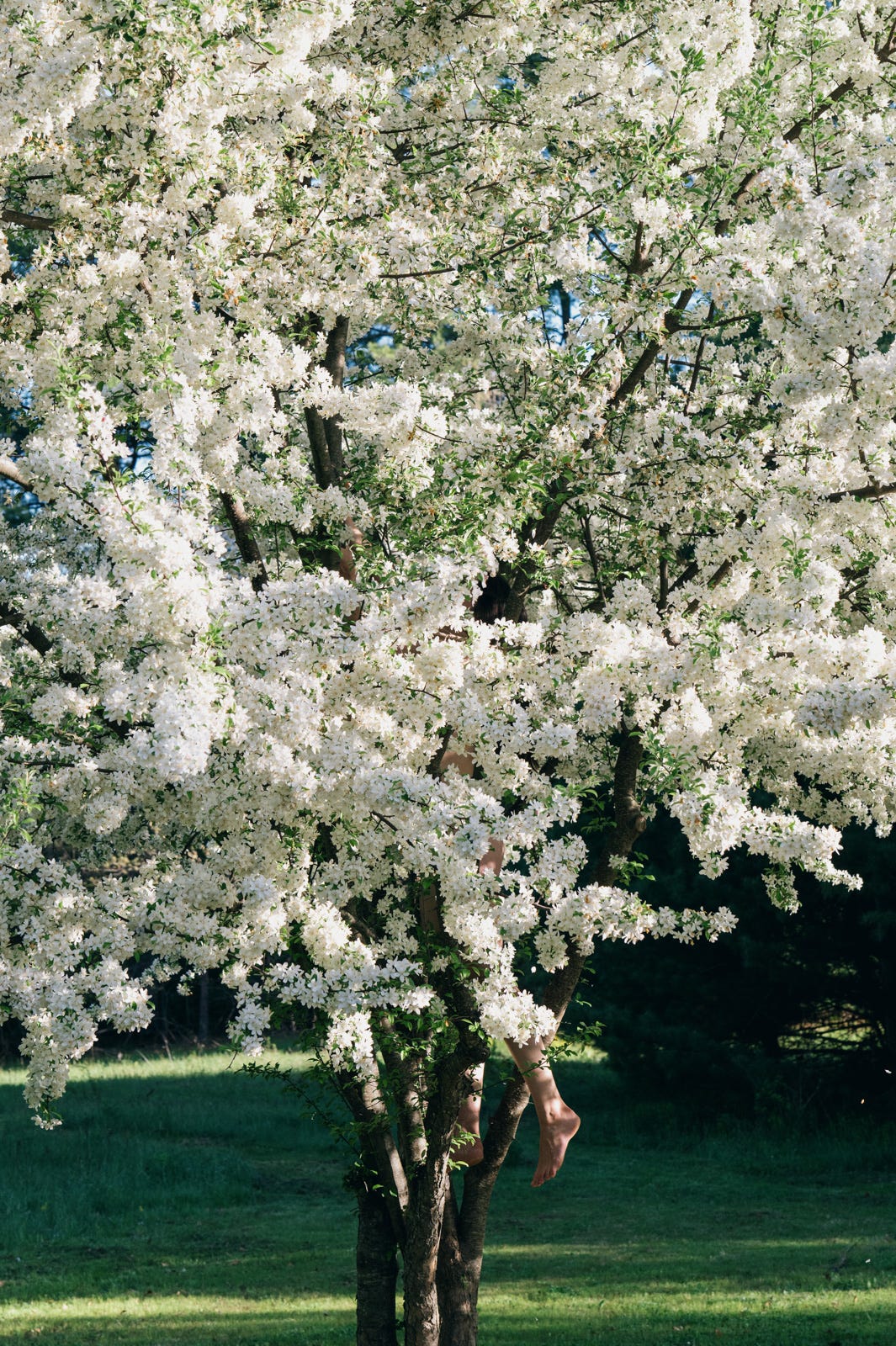
One day eleven years ago some Germans in the small city of Wetzlar asked themselves, “Do insane people buy cameras?” and so the Leica Q series was born.
In 2019, in a fit of aesthetic madness, I decided I was through with lenses and gear. I sold my camera and all of my accumulated lenses to fund the purchase of a Leica Q2 ($4,995). I loved it, then disliked it, sold it, regretted that, and later purchased the Q3 43 — which I bought at $6,985. It now retails for the improbable $7,950. Leica has long made it their mission to perpetuate the insolvency of artists so these figures are not too surprising.
The design is a bit strange. It is a fixed lens camera, but a large one. It comes in 28mm and 43mm versions. Both cameras are an impeccable piece of glass attached to a minimalist body. On a table or around your neck the heavy lens leans it forward. In 2019 when I purchased the Q2 it easily had the worst JPEG engine of any camera I’ve ever tried. I think the engineers assumed everyone would shoot in RAW. Why buy a serious camera if you’re not going to do the serious processing work? Enough people have complained about this that they’ve greatly improved JPEG output via firmware updates, but I’m scarred enough that I only shoot my Q3 43 in RAW.
Both the 28mm and 43mm are perfect lenses married to an exceptional full-frame sensor. So the Leica ultimately justifies its non-compactness with image quality, and by allowing serious cropping power. For example on the Q3’s 60 MP (9500x6300 pixels) sensor, a 28mm cropped to 50mm (or a 43mm cropped to 80mm) is still 19 MP (about 5400x3500 pixels). You still have a lot more room to work with.
The idea of “digital zoom” always seemed like a marketing joke, its just cropping, but this is the first camera line where it seems like a respectable description. Even shooting with the wider (28mm) model, you can get nice portraits by stepping back and cropping. The lenses (28 and 43) are both beautifully sharp and have no distortion or softness around the edges, at least that I’ve noticed.
Here’s an example with the Q2’s 28mm lens:
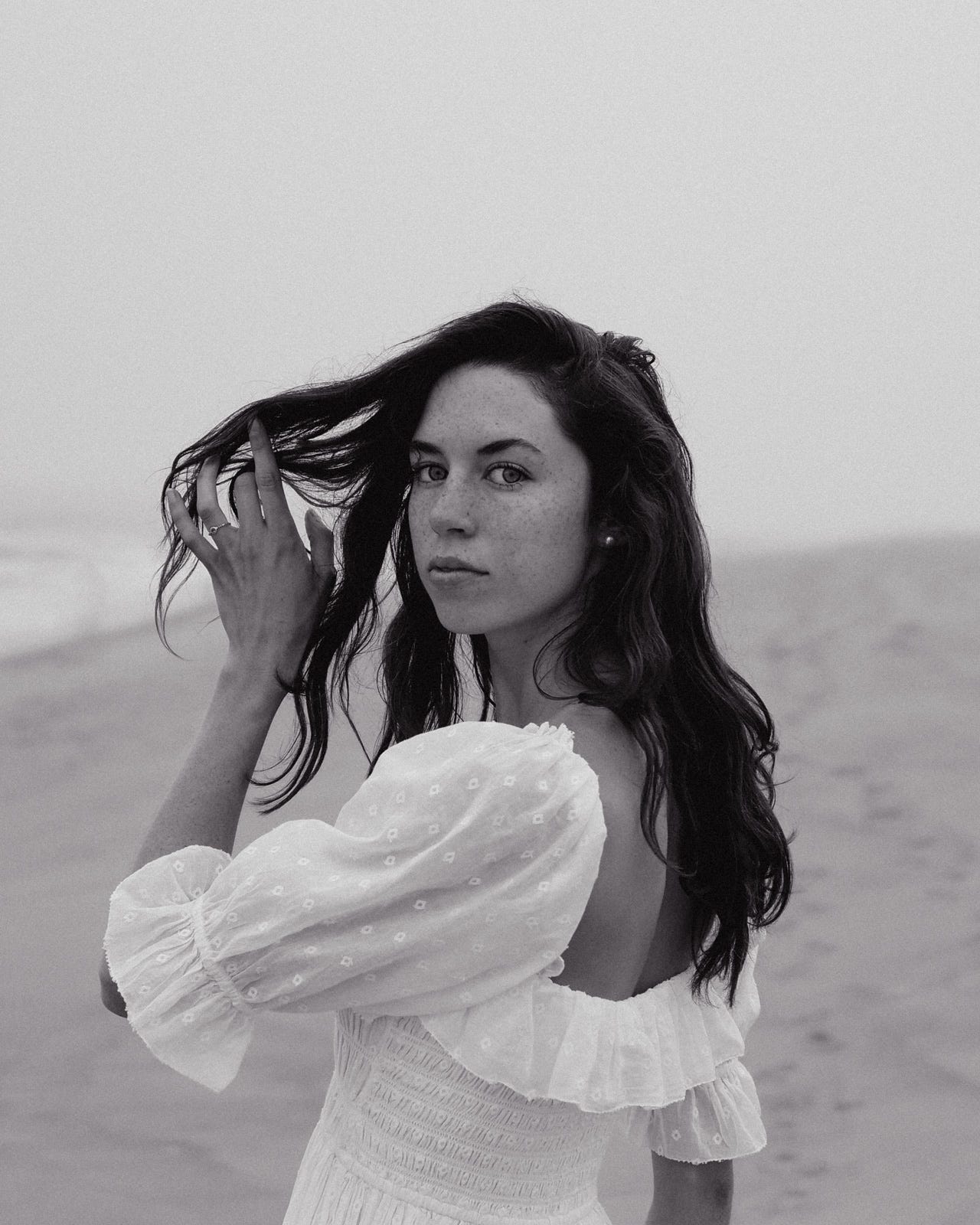
And what I’m cropping from:
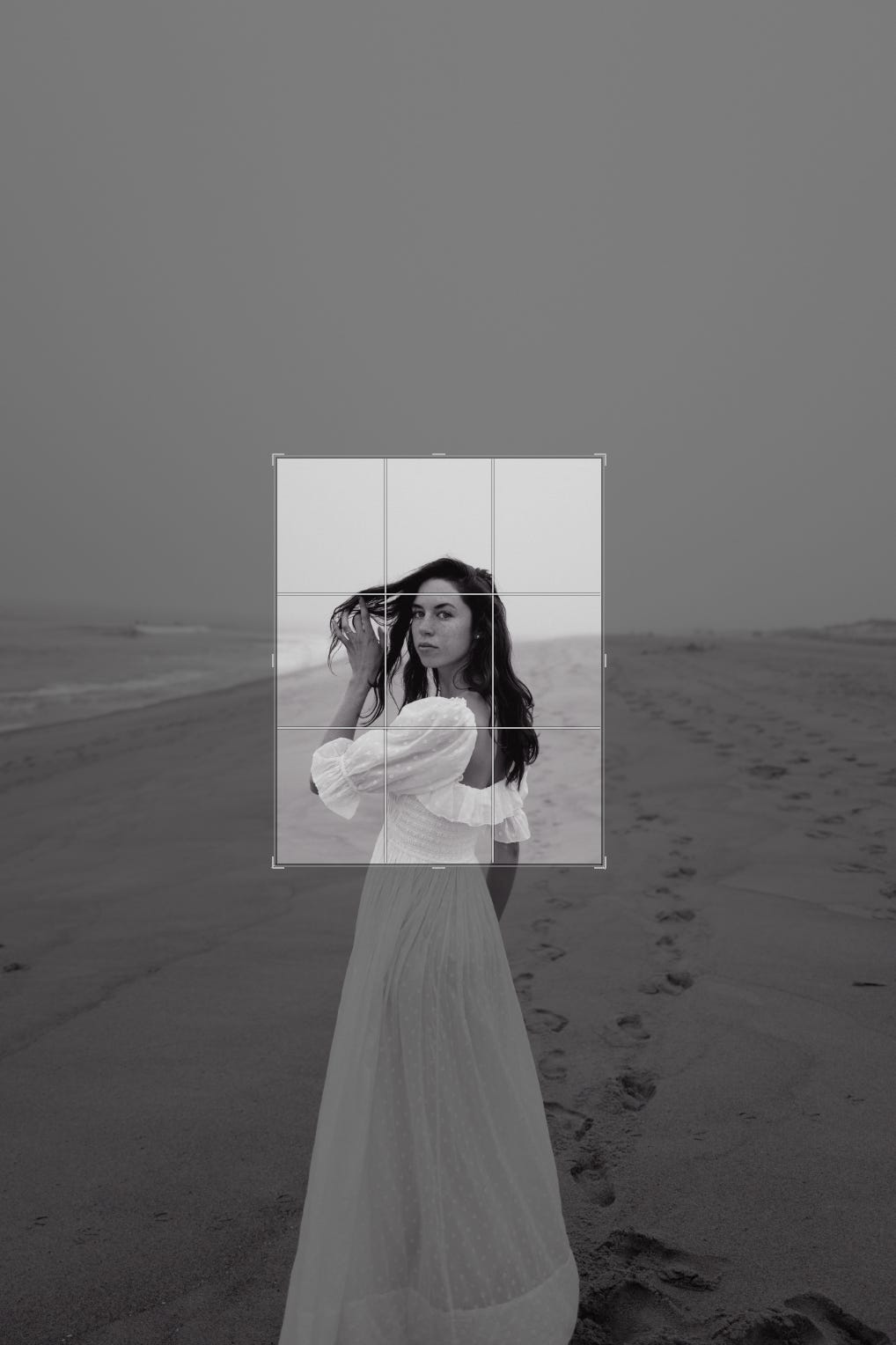
Leica Controls
I sold my Leica Q2 (as you can imagine, they hold their value well) partly because I was sore about the bad JPEG engine, and my PC was slow with the huge RAW files. I missed Fuji colors and shooting JPEG. The Leica controls are also not as nice as the Fuji’s.
But after a year back with Fuji, I began to miss the Leica lens, especially for portraits. The level of detail and the partial feel of some photos, looking back at my Q2 shots, I began to seriously reconsider. I decided I’d either get a giant Fuji medium-format camera (interchangeable lens), or else buy the Q3 again some day. I would accept a RAW workflow spending time at the computer to edit all the way through.
Then the Q3 43 came out. It’s an odd choice for a fixed lens, its less general purpose than the 28. But for my shooting it felt like the right one, especially since in post-production I found myself always cropping. So far I have only appreciated its constraints.
I’ve also come to appreciate the control minimalism of the Leica. It’s not so much “opinionated” as it just wants to get out of your way. You are not here to fuss with dials or menus or custom profiles. You are here because you have an impressive sensor married to an impressive lens and you are going to shoot beautiful photos. So on my return to the Q series I made peace with all Leica oddities (except the absurdly slow startup time of the Q3 camera).
The most beautiful part of the controls (and the camera) comes from the lens. The manual-focus experience of the Q3 43 is easily the best of the three camera series. Unlike the other two, which have no tactile feedback, the Q3 is focused with a physical ring on the lens that has a pleasing distance scale, with depth of field markings for zone focusing8. The autofocus is good too, but I find myself enjoying manual focus much of the time with this camera.
Shooting
As I mentioned before, the JPEG engine is bad. Exacerbating this are not only the colors but the auto white balance is also often wrong. It’s possible firmware updates help this too, but if you shoot in RAW, you don’t need to worry about them. And again the startup time of the Q3 is horrendous. It does not make the camera feel snappy at all! It can make you miss a shot in a pinch. If you are going to do street photography it might be best to turn off the rear screen, carry a spare battery, and only let the camera auto-off, where the wake time is much faster.
Once you have some practice, shooting itself is very rewarding. Some people complain that the minimalist body requires a thumb-grip, but unlike my Fuji, where I bought one, I didn’t for the Leica. The lens itself is big enough (and such a big part of the weight) that I always find myself supporting it plenty with my left hand, rather than relying much at all on my right thumb. This is a camera that wants your whole attention, your whole body. They were probably thinking of Heidegger as they made it.9
The clarity is beautiful at all stops and settings. At high noise levels, the default appearance looks more like grain (that is, more like film) rather than the more modern noise reduction mush. Some Q2:


And the Q3 43. Even shooting inside the house, the 43mm doesn’t feel very restrictive:


Compared to my documentary-style shooting with the other two cameras, the lens affords a closeness. When you get a shot right, it has a cinematic quality.


I feel I should say more but — how? If you find beautiful photos in the world, the Q will capture them for you.
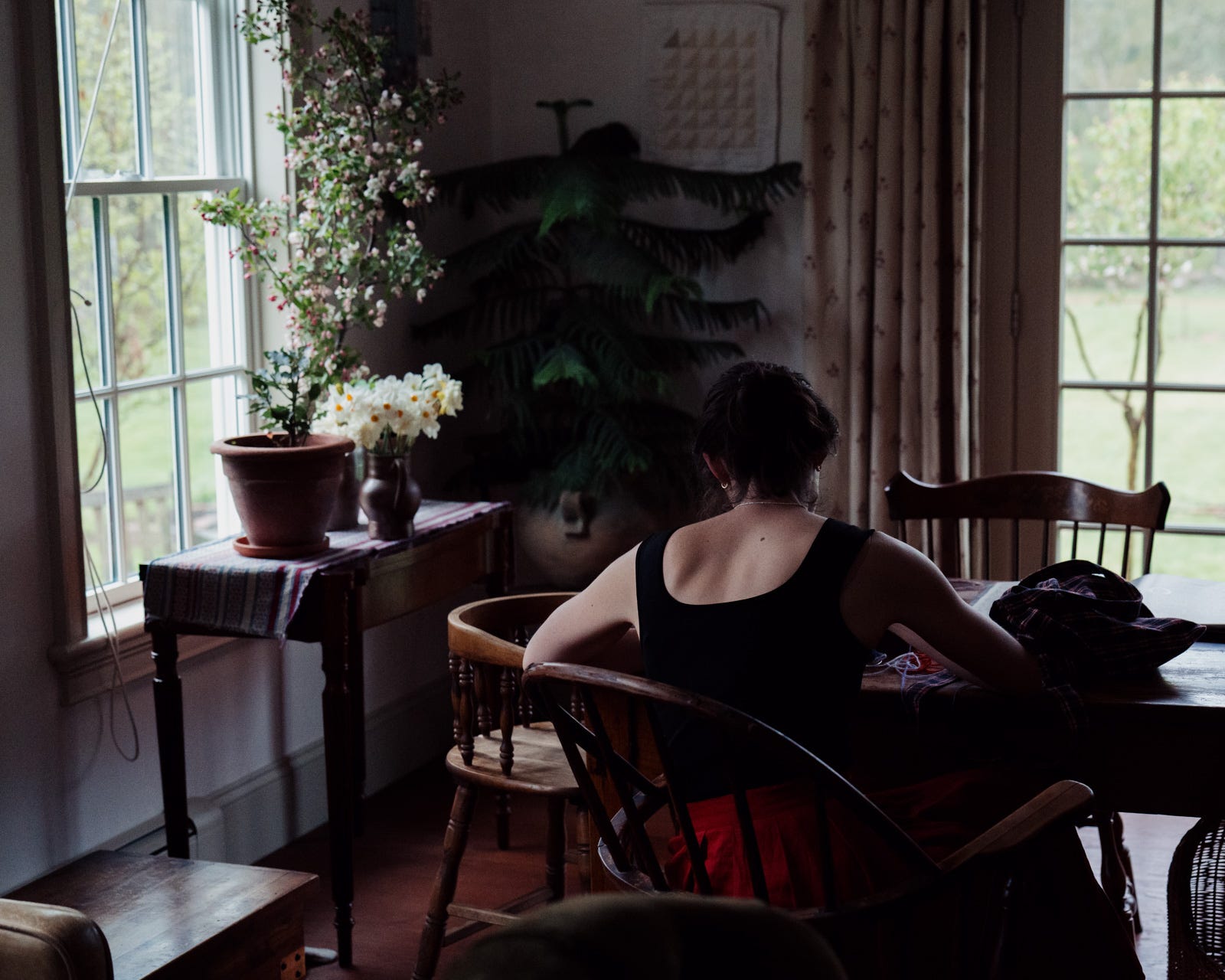
Leica Q3 43 Drawbacks
Well, the price. You can create art for less, I promise. You do not need this camera.
Startup time is slow. It’s heavy, it’s big. It’s not for the casual shooter. The camera won’t magically take pictures that you like, of course. You will have to put in the work, which means shooting a lot, setting up shoots, or being in the right place at the right time with the camera around your neck. And then work in Lightroom or equivalent. If you think these will distract from shooting, you might not to even consider the Q series. It is not for beginners. It is for people that acknowledge a little madness, a little obsession.
Ricoh GR IV
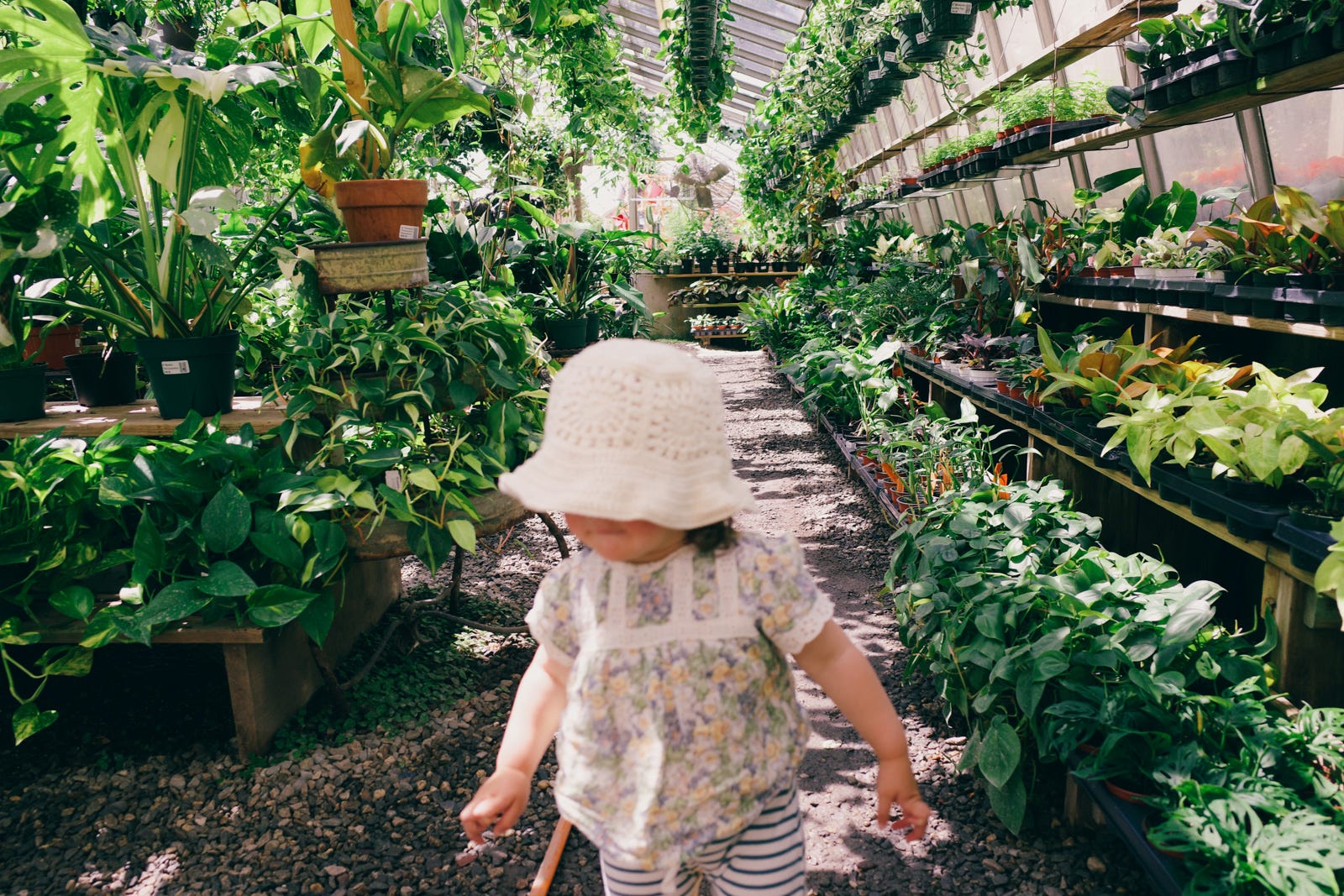
The best camera is the one that you have with you. How often do you take a camera with you? Every time you go outside? The Ricoh GR series is the only camera line of the three that is actually, really pocketable. It’s a bit conspicuous in your pocket, but then so are huge phones these days.
I bought the Ricoh with the simple goal of shooting 10x more and saving just a scant number of photos from those shoots. Very informal, off-the-cuff shooting, and lots of it. My workflow is exactly this:
Put it in my pocket frequently, any small trip, even just walking around the yard
Take photos
When I take the photos off the camera into Lightroom, quickly look them over and flag just a couple, immediately select “unflagged photos” (I made a custom filter in LR for this), and delete the unflagged set. 50 shots becomes 2.
I might edit the jpegs, but only with a preset or tuning the shadows.
That’s it.

Like the Leica, the Ricoh GR series is a fixed camera but comes in two versions, a 28mm and a 40mm (‘x’) equivalent focal length. For the GR IV, there’s no ‘x’ version yet. Since I’m not trying to use it as a portrait camera, the wider angle is more appealing to me.
Ricoh Shooting
The experience is the most different from the other cameras. There’s no EVF (Electronic Viewfinder, aka eyecup). This actually took me a long time to get used to. I’d turn it on and put it to my eye and then remember I have to hold it away from my face to take the photo, looking at the screen. This is natural enough, in the age of phone cameras, I’m just not used to it with a compact camera.
Since I wanted to shoot more, I’ve only ever kept the camera in JPEG. In fact I’ve mostly kept it on auto, and not wandered too far into the menus. Following Fuji’s lead, Ricoh (and Leica actually) have been adding their own versions of JPEG film simulations, albeit with different names (Image Controls and Leica Looks, respectively). I’ve shot about 2000 photos with the Ricoh so far, but haven’t spent much time fussing with the colors yet. I bought it to shoot so I’m just shooting.
The camera feels a bit like a toy, but the sensor is unusually large for its size. Much larger than other compacts in its size class. It’s been truly delightful to pop it out, take some photos, and forget about them until later, over and over, and accumulate some gems this way.
Photographing can be making pictures (setting up a scene, a studio, a model, etc) or it can be finding them, and I find a lot of them with the Ricoh in my pocket. Once you’re used to it, it takes very little time or thought to compose something enchanting.


I find it clipping highlights pretty frequently, but I’m happy to keep snapping jpegs and just focusing on composition and mood.

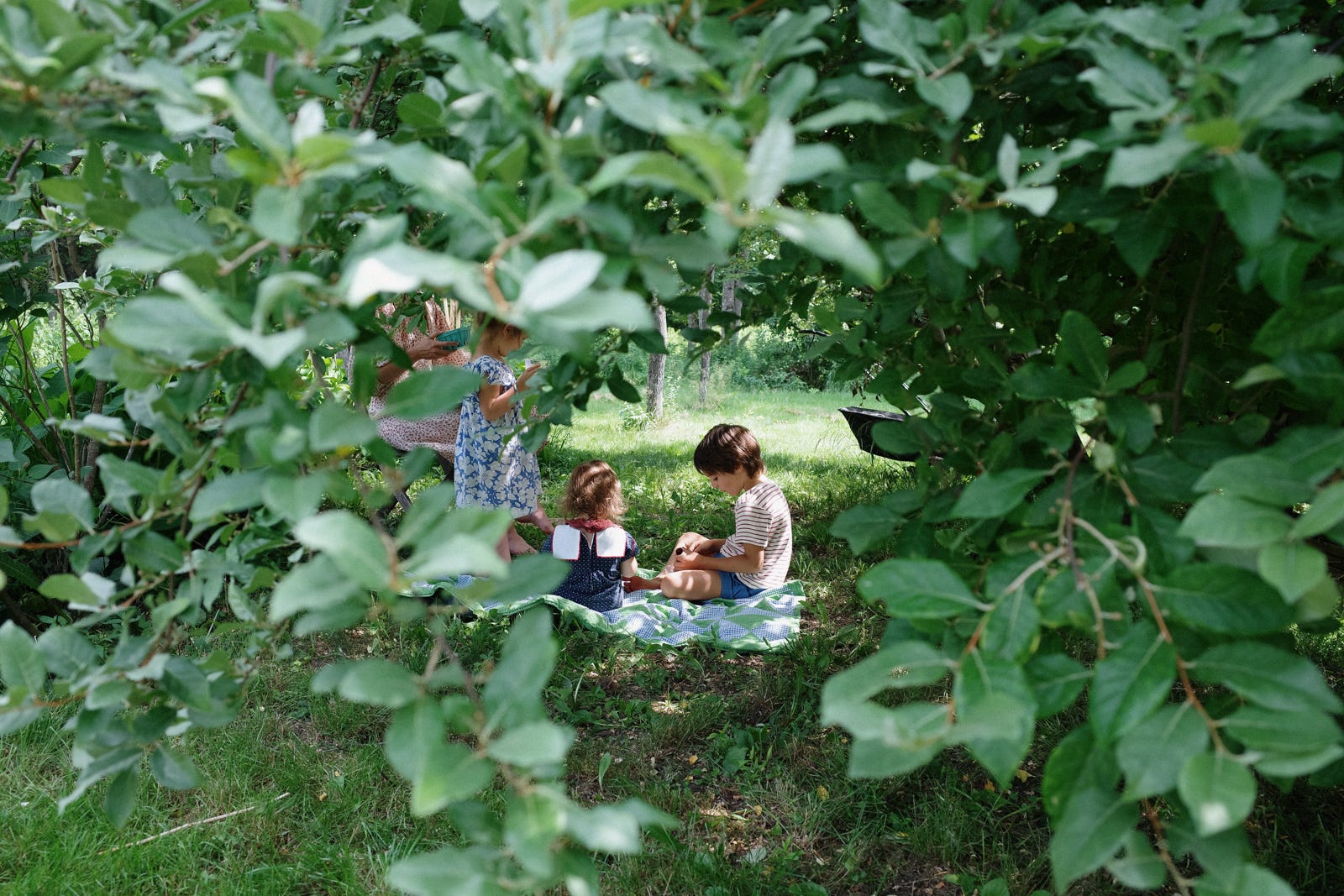
Shooting in JPEG does tempt me to thrash the colors a little, by applying lots of fade or or film-like presets.
The light metering can make shooting flowers difficult on the Ricoh, until I found that it has a “Highlight Weighted” metering option. Fuji doesn’t have this (Leica does). This will ensure you keep the highlights intact, somewhat the expense of everything else, though that’s perfect for a rose + foliage, or some moody scenes.
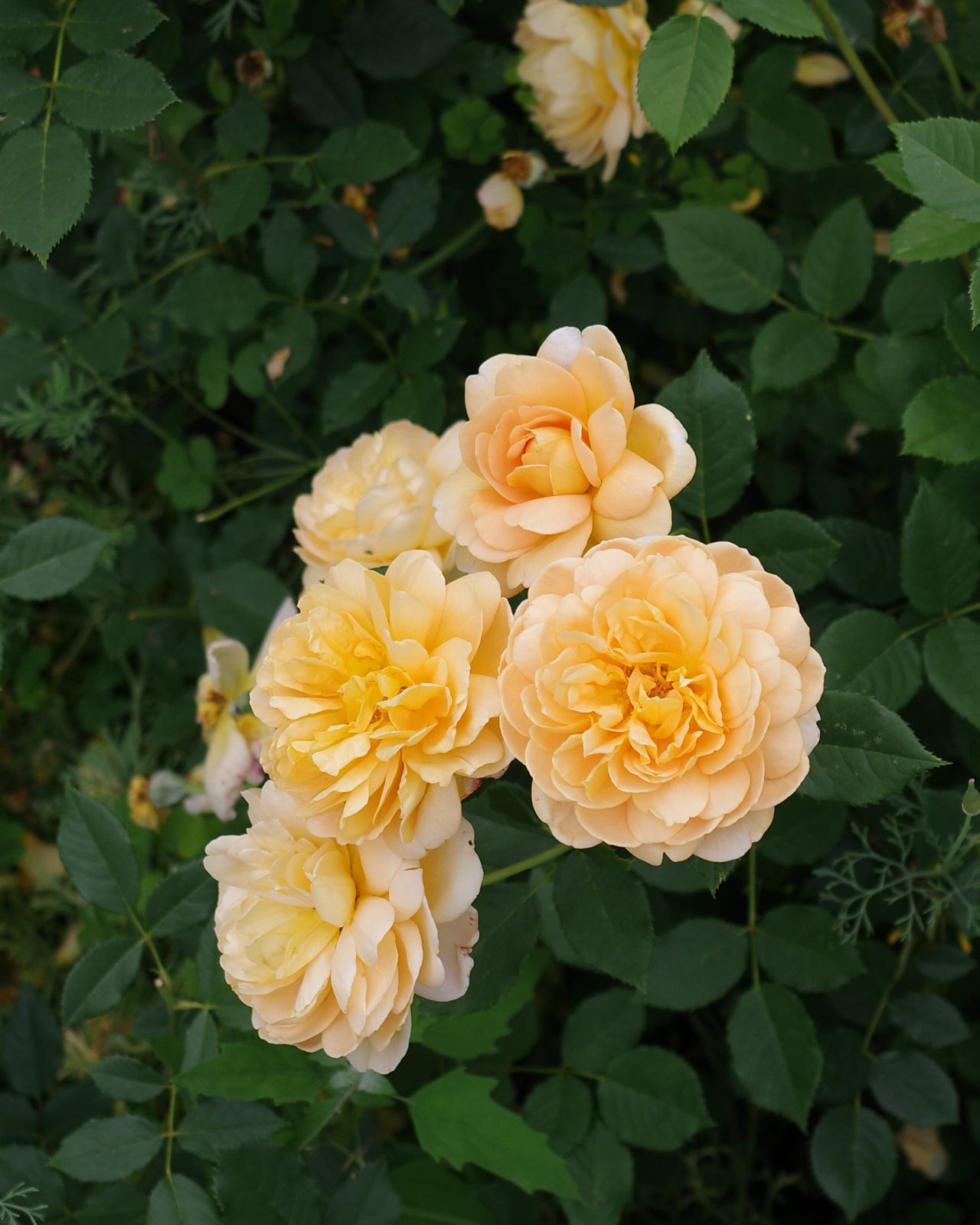
But my biggest takeaway is that if you’re not too fussy about getting perfect shots, its simply very fun to shoot with. It’s a camera that doesn’t feel serious but delivers real photos.
Ricoh Controls
The camera is so small that there’s not a lot of real estate for your hand. The tiny spot for one’s thumb leads me to accidentally push the EV +/- buttons. You actually want to shift your thumb off the grip a bit to the left to avoid this:
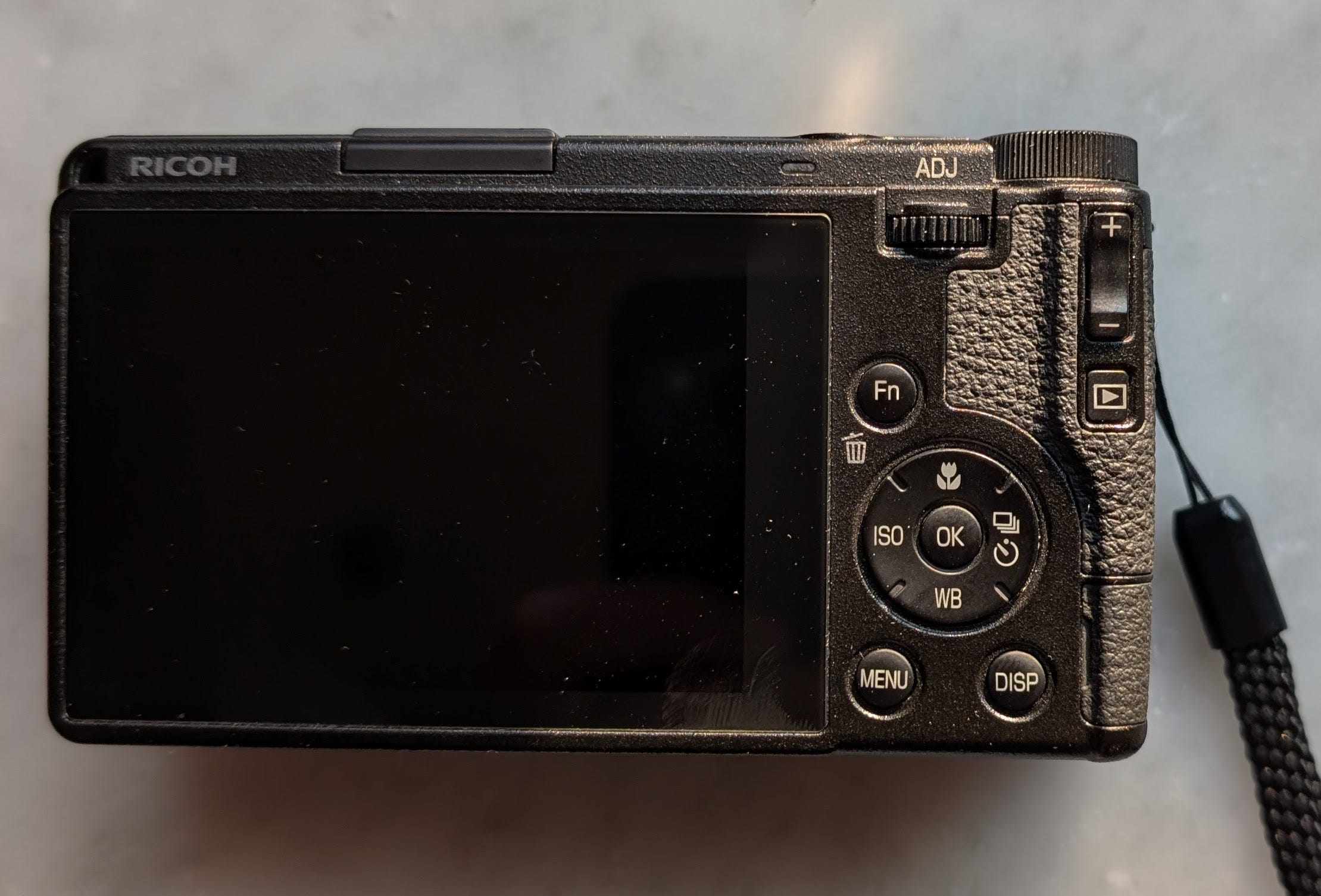
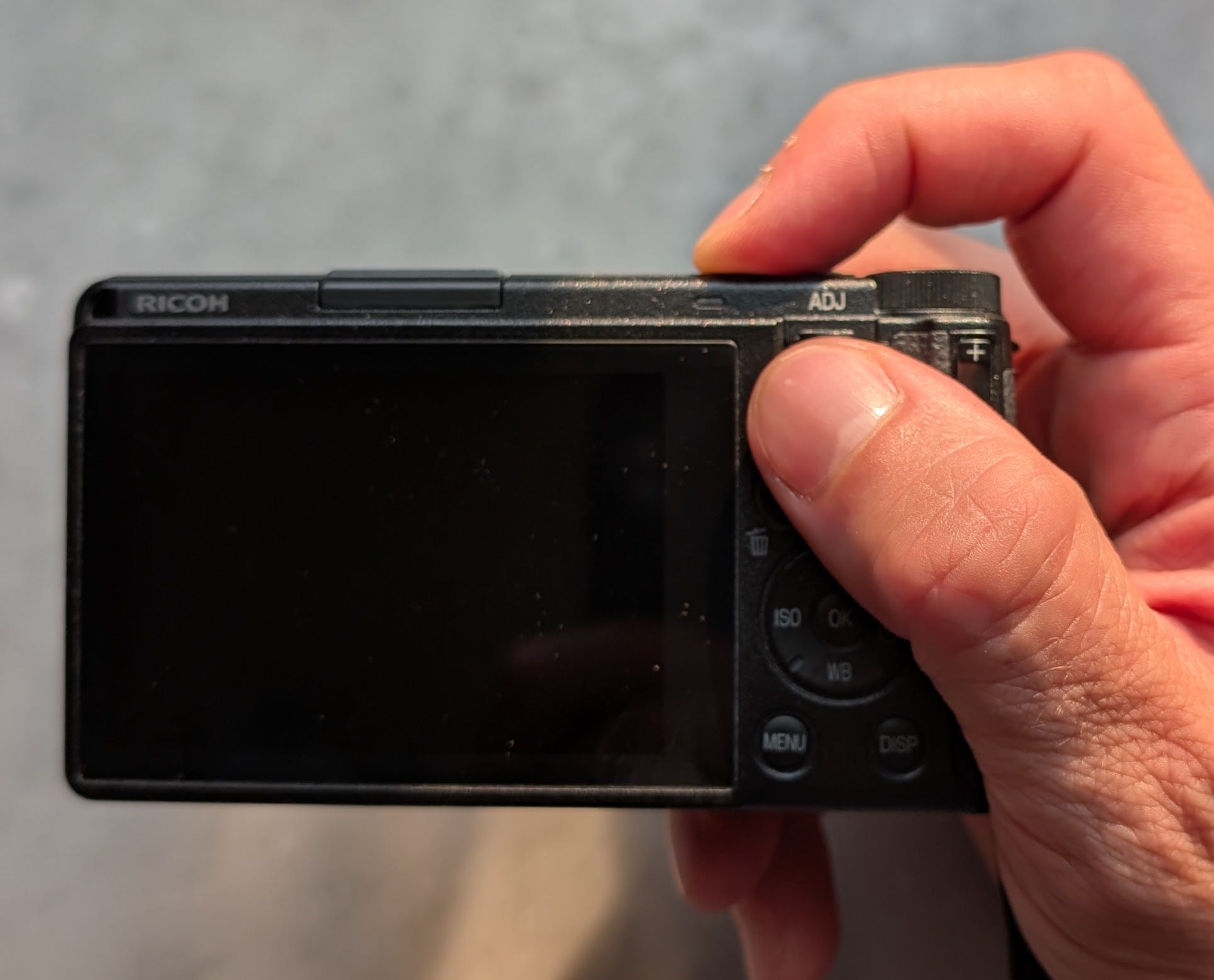
The controls are simplistic compared to Leica and Fuji. Not minimalist! Just more point-and-shoot. It has more dials and buttons than the Leica.. There are dedicated profiles on the top dial (eg for your jpeg presets, so you can dial to black and white, or some film simulation-style setup), rather than in a menu somewhere. Of the three it maybe has the worst controls. There’s no focus ring on the lens (Fuji has the digital ring, Leica the physical).
The manual focus mode is too annoying to use (menu → manual focus, press macro button, if macro button is pressed +/- EV buttons become +/- focus).
However, Ricoh has a “Snap Focus” setting that is quite brilliant and suits the camera very well. You set a single manual focus distance (such as 1.0, 1.5, or 2.0 meters), and when you half press the shutter it will autofocus, but if you fully (hard) press the shutter button, it will focus at the pre-selected distance and shoot immediately. So it’s a kind of zone focusing that you can keep always-on as an option, good for street photography and indoors/low light.
Ricoh Drawbacks
Unlike Fuji/Leica, the Ricoh is not weather sealed. In fact unlike the other two this one has moving parts — every time you turn it on and off the lens extends. Inside of that extension, the autofocus motor is additionally exposed. This is terrible for dust/sand/moisture. If you put a lens cap on, you can’t turn the camera on without risking the motor fighting the cap. Further exacerbating, it’s not possible to put a filter on, except a pseudo-filter sticker (you tape it on), or these weird shield apparatuses that ruin the compactness.
So it’s the cheapest of the three but also the most fragile. If you don’t wince at the price tag, I think you should buy it because its just an incredible toy. If you only have so much budget to spare and the compactness isn’t very attractive, you should consider the Fuji.
There’s no EVF, but that’s an acceptable tradeoff for the small package. I would have liked more thumb space, but again its space tradeoff I mostly understand. In my opinion EV +/- would have been nicer as the dial, like on the Fuji or Leica, rather than those two buttons, with a button on the middle of the dial for the other settings (Leica has a button in the middle of their dial — its for ISO, a nice use of minimalist space in their design).
Of the three, it has the worst image quality. It is better for beautiful memories rather than fine art. But it’s still very good, and perhaps I haven’t found the limits of it yet.
Conclusions?
All three of these are good for street photography, documentary-style shooting, people, and some nature. All of them are fun. It’s a bit dubious to acquire all three, but I don’t really regret it (I might feel differently if I had more than one costly hobby, but thankfully, this is mostly it). Each of these cameras has a personality and I like switching between them much more than I like switching lenses.
If you want the best camera for the money, one that feels like you’re shooting film and that most of your time is spent with the camera and not on the computer, get the Fuji. If you’re new to photography, get the Fuji or the Ricoh.
If you are willing to put a lot of time into your art, if you feel photography is a mission, or a madness, if you want to spend a lot of time on a lot of detail, you should consider the Leica Q — any of them. It may not be the best use of money, some boring person (in another browser tab you have open) is probably trying to talk over me right now about Sony Alpha blah blah blah. Ignore him. Take a chance on something stranger. Your muses deserve it.
If you approach photography from a lighthearted spirit and just want to shoot, often, parties, outdoors, indoors, anything. Or if you are a jaded, possibly lapsed, photographer, consider the Ricoh.
~ ~ ~
Probably I have forgotten many finer points to add, so if you have any questions, feel free and I’ll try to answer.
s s
Unlike the X100VI, the Fuji X-E5 is NOT weather sealed.
Both the Fuji and the Ricoh have APS-C sensors. The Leica is full frame. Roughly, sensors go from big to small:
Medium Format (rare) → Full Frame → APS-C → Micro 4/3 → 1” → phone camera
Sensor size limits the amount of light and therefore detail of pixels.
On the Leica you reset the autofocus rectangle by double-tapping on the screen. But since you can also tap on the screen to set the autofocus, sometimes it thinks you’re doing that instead. So I just “reset” it by vaguely tapping near the center of the screen.
Have you ever seen an image, especially on a phone, of a person’s face and they look like they’ve been smushed by an eraser? This is sometimes called “waxing” or “watercolor effect” or “plastic wrap”, and its due to the camera attempting noise reduction at the expense of detail. But detail is important to the human figure, so I find it annoying. Anyway, I’ve turned down the high ISO noise reduction on Fujis for so long that I’m not even sure if its a problem anymore, so maybe you don’t need to touch it.
You can do this with Dynamic Range also on the Fuji to experiment with DR100, 200, 400, and several other settings.
Subject isolation is greater in a longer mm lens partly because longer lenses produce a shallower depth of field, which can blur our the background more, but also shooting on the street at 35mm, even if you crop, you might see a lot of stuff behind the subject (cars, trash cans, whatever is in the scene). At higher mm with the same end-result framing, you might get a cleaner background from the same exact scene.
A warning for those considering a used X100F. Only the V and VI are weather sealed.
In street photography or when walking around and shooting, you can set a “zone” of acceptable focus, based on your aperture. For example, at f/16 you can manually focus such that everything between 1 and 2 meters away is in focus. If you get used to thinking about this “zone” (this slice of distance that is in focus) you can walk around with manual focus and try to shoot anything within it.
“The less we just stare at the hammer-thing, and the more we seize hold of it and use it, the more primordial does our relationship to it become, and the more unveiledly is it encountered as that which it is” — Heidegger from Being and Time
I almost skipped this post because I already have my camera system of choice. But I thought "I bet there are some garden and kid photos", and I was well rewarded.
Thanks Simon! I sold my X100T a few years back but three kids later, quality photography has become very important again.
On the fence about another Fuji as the portability of the Ricoh will make me more likely to shoot.
Choices, choices!